Dream Home 3D
Free · Right in your browser
Dream Home 3D
- Ability to play in full screen:
- Yes
- Technology:
- HTML5 (WebGL)
- Platforms:
- Browser (desktop, mobile, tablet)
- File size:
- 1.99 MB
Game information
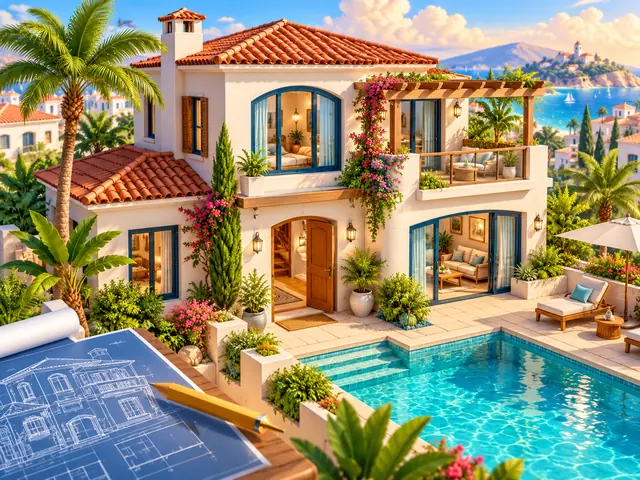
Dream Home 3D is a private house constructor for the IGROFLOT CITY metaverse. Choose an architectural design, change the exterior and create a compact garden. Publish your finished home in Sun City, a neighborhood filled with players’ houses. There is no race for points: the goal is to find a combination of architecture, colors and landscaping that feels like your home.
How to play Dream Home 3D
Start with the 15 designs tab. The collection includes a tropical bungalow, Mediterranean villa, modern barn, glass house, Art Deco villa and other distinctive forms. Each template supplies its architecture, initial palette and garden settings. Choosing another design replaces those settings; a confirmation appears first, and you can undo the change.
Open the House tab to name your project, choose one or two floors and adjust the width and depth. Change the facade, trim and roof colors with the ready-made palettes or the custom color picker. Roof shapes include flat, gable, hip and butterfly.
Next, open Garden. Choose tropical, formal, desert or zen landscaping. Add a pool, terrace, fence and up to six palm trees. The plot stays compact, so consider the building and garden as a single composition.
Inspect and remodel
Changes appear directly in 3D. Orbit the camera, zoom in on details and switch between front, garden and aerial views. Walk mode lets you inspect the house from human height and enter through its open front doorway.
Interior mode removes the roof and the slab between floors for a clear view of the empty building. The house contains bare walls and stairs. Furniture and an interior design editor are not included in this version. Walk mode stays on the ground floor; inspect the upper level through the cutaway view. Interior furnishing is a separate future stage.
Use undo and redo to compare alternatives. The screenshot button downloads the current 3D view.
Publish in Sun City
A guest project is stored on the current device. After signing in, your personal account project is kept separately from the guest design. Press Publish in Sun City to place an acknowledged saved version in the shared neighborhood. Your house receives a permanent plot.
Later edits stay private until you publish again. You can experiment freely before updating the house that other players see. The visit button takes you to your plot. Physical portals connect Sun City with the main beach city and Neon City.
The shared friends button lets you invite friends to inspect your project. Visitors see the host’s house and can look around, but they cannot edit or publish someone else’s design.
Tips
- Choose the silhouette first, then refine the palette: changing templates replaces the starting settings.
- Inspect both the facade and garden so palms do not hide your favorite view.
- A restrained facade can help stronger roof and trim colors stand out.
- Walk around the plot and check the house name before publishing.
- Wait for the saved confirmation. An error message does not mean the account project has been updated.
Similar games
Visit IGROFLOT CITY to explore game pavilions and travel between three cities. In Sugar Isles 3D, building is combined with exploring a block world.
How to play
- Mouse wheel — zoom.
- WASD / arrows — pan; in Walk mode — move.
- Shift — walk faster.
- Touch: drag one finger to orbit, pinch with two fingers to zoom.
- Right or bottom panel — choose a design and customize it.
- Interior — inspect the empty building in cutaway view.