Penguin Diner 3D
Free · Right in your browser
Sign in to save your favorite gamesSign in
Game information
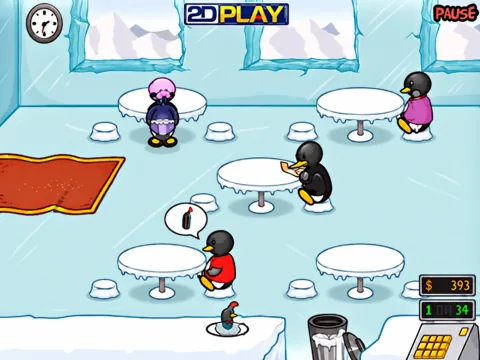
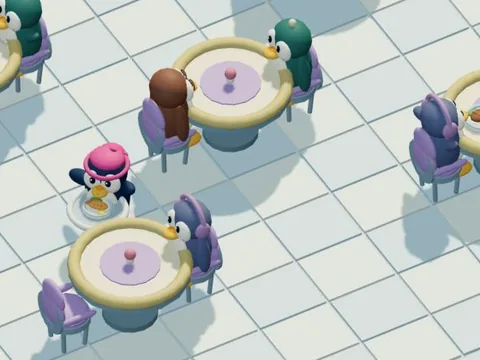
Penguin Diner 3D is a restaurant-management game with a fully three-dimensional café, customers, dishes and working waitress. Stranded far from home, Penny takes a job in the snowy mountains. Help her complete 33 service days across three venues: Hilltop Cafe, Ice Rink Cafe and Iceberg Cafe. Each day has its own earnings target, and customer traffic gradually becomes busier. The diner opens at nine in the morning and closes at nine in the evening; new customers arrive for two minutes. After closing, finish serving the remaining guests and collect their payments.
Serving a customer takes several steps. Select an arriving penguin and seat them at a free table. Wait for the customer to read the menu and become ready, then walk over to take the order. The kitchen prepares fish, sushi, soup, steak, shrimp, drinks and ice cream. Pick up the finished dish and deliver it to the customer who ordered it. Penny can carry no more than two dishes at once, so plan a route between the five tables and the kitchen counter. Collect the payment after the meal to free the table for the next guest.
Watch customer patience throughout the visit. Leave someone waiting too long for a seat, an order or their food, and they may become angry and leave. Prompt service earns tips and helps you reach the daily target. Queue several errands in advance, cancel actions you no longer need, or discard an unwanted dish. Walking between tables takes time, and the kitchen cooks orders in sequence, so success depends on planning as well as fast clicks.
After a successful shift, earnings above the daily target become your personal profit. Spend it on three levels of skates, a television and comfortable chairs. Skates improve movement speed, television helps guests wait more patiently, and chairs increase tips. Permanent upgrades make the busier shifts more manageable. Unlock later days, revisit completed shifts and improve your results.
Use the mouse to select customers, tables and dishes on a computer, or tap them on a phone or tablet. Rotate and zoom the camera, pause the shift or download a screenshot of the current scene. Guest progress is kept separately on your device; signing in saves days, profit, purchases and preferences to your account. “Invite a friend to play” lets up to eight accepted friends, including the room owner, work in the same restaurant. You serve the same customers, while each player's personal share of the profit reflects the work they actually completed.
Serving a customer takes several steps. Select an arriving penguin and seat them at a free table. Wait for the customer to read the menu and become ready, then walk over to take the order. The kitchen prepares fish, sushi, soup, steak, shrimp, drinks and ice cream. Pick up the finished dish and deliver it to the customer who ordered it. Penny can carry no more than two dishes at once, so plan a route between the five tables and the kitchen counter. Collect the payment after the meal to free the table for the next guest.
Watch customer patience throughout the visit. Leave someone waiting too long for a seat, an order or their food, and they may become angry and leave. Prompt service earns tips and helps you reach the daily target. Queue several errands in advance, cancel actions you no longer need, or discard an unwanted dish. Walking between tables takes time, and the kitchen cooks orders in sequence, so success depends on planning as well as fast clicks.
After a successful shift, earnings above the daily target become your personal profit. Spend it on three levels of skates, a television and comfortable chairs. Skates improve movement speed, television helps guests wait more patiently, and chairs increase tips. Permanent upgrades make the busier shifts more manageable. Unlock later days, revisit completed shifts and improve your results.
Use the mouse to select customers, tables and dishes on a computer, or tap them on a phone or tablet. Rotate and zoom the camera, pause the shift or download a screenshot of the current scene. Guest progress is kept separately on your device; signing in saves days, profit, purchases and preferences to your account. “Invite a friend to play” lets up to eight accepted friends, including the room owner, work in the same restaurant. You serve the same customers, while each player's personal share of the profit reflects the work they actually completed.
- Age rating
- 6+
- Ability to play in full screen
- Yes
- Technology
- HTML5 / WebGL
- Publication date:
- File size:
- 2.12 MB
How to play
Select a guest at the entrance, then a free table. When the guest is ready, select the table to take the order. Pick up the finished dish from the kitchen counter and select the correct table to serve it. Select the table after the meal to collect payment. You can carry up to two dishes. Watch customer patience and your task queue; cancel unwanted actions or discard spare dishes. Reach the shift target and buy permanent upgrades in the shop. Use taps on mobile. Sign in and choose “Invite a friend to play” to work together.