Super Mario World
- Age rating:
- 6+
- Ability to play in full screen:
- Yes
- Technology:
- Ruffle
- Platforms:
- Browser (desktop, mobile, tablet)
- Publication date:
- File size:
- 1.52 MB
Game information
Screenshot from the game
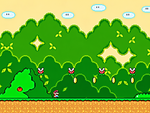
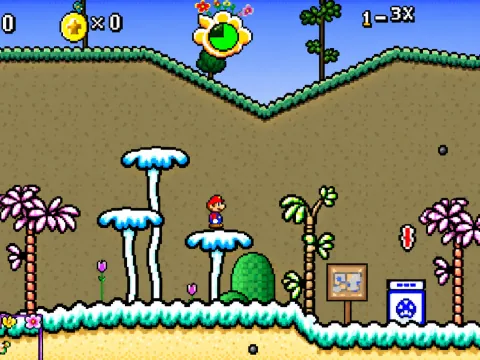
Super Mario World is a 2D platformer in which you guide Mario through dangerous areas, collect coins and reach the final battle with Bowser. The version on IGROFLOT is the Flash game Super Mario World Revived, with familiar pixel art, platform jumping and enemies that require careful timing.
The adventure begins in an open, grassy area before taking you through caves and into a castle. Accurate landings and a watchful eye matter: before moving on, check the distance to the edge, the enemy’s route and where you can land your next jump.
How to Play Super Mario World
- Click “Play” on the game page, then Play in the game’s own menu. Click inside the game window so that your keyboard controls Mario.
- Look around the first screen. Mario starts on the left, and an arrow sign shows you which way to go.
- Move with the left and right arrow keys. Press Space to jump over enemies, reach higher platforms and collect coins above the ground.
- Head towards the exit from the current screen. Take a moment to study each new area: the obstacles and enemy behaviour change as you progress.
- Watch your remaining lives and make your way through all three zones to Bowser’s castle. Separate counters track the coins you collect and the enemies you defeat.
A Route Through Three Zones
The opening screens introduce movement and jumping. Their relatively open spaces let you get used to Mario’s speed and practise landing on enemies from above. Later areas are more demanding, so save uninterrupted runs for sections you already know.
- Yoshi’s Island. The first part of the adventure features grassy platforms, coins and your first enemies. It is a good place to practise jumping and moving between screens.
- Donut Plains caves. In this underground section, pay close attention to the platforms and decide where you will land before you jump.
- Bowser’s Castle. The final zone contains dangerous traps and the last opponent. The lives you saved earlier in the game will be useful here.
Jumping and Enemies
Jumping is both a way to move around and a way to attack. You can land on an ordinary walking enemy from above, but touching it from the side is dangerous. Plan your jump’s path: jump too early and you may land just in front of the enemy; jump too late and you may collide before leaving the ground.
You can also adjust Mario’s movement in mid-air with the arrow keys. Use this to land more accurately on a platform or clear an enemy. You cannot rely on the same approach throughout the adventure: the route includes different enemies, shells, flying projectiles, Piranha Plants and castle traps. Watch each new obstacle before trying to get past it.
Coins, Lives and Counters
Three main indicators appear at the top of the game screen:
- MARIO shows your remaining lives. You start with 30 lives in this version, and dangerous collisions reduce that total.
- KILLS counts defeated enemies. It shows the results of successful attacks from above.
- The coin icon shows how many coins you have collected. Some coins hang above the ground, so choose your take-off point carefully to reach them.
Coins give you an extra objective in each area, but one awkwardly placed coin is not worth losing several lives. Find a safe route first, then decide which items you can collect along the way. Your main goal is still to complete the route and defeat Bowser.
Tips
- Study each new screen before moving. Find the exit, the nearest enemy and a safe platform where you can stop.
- Watch which way the enemy is moving. Your distance from it changes while Mario is in the air. Aim for where your paths will meet, rather than just the enemy’s current position.
- Avoid jumping right at the edge unless you need to. Choosing your take-off point in advance helps you land accurately.
- Adjust your movement in mid-air. A small change of direction can help you avoid a collision or stop you from overshooting a platform.
- Break difficult sections into short steps. Stop somewhere safe, wait for the right moment and only then make your next jump.
- Save lives for the final zone. The early screens are useful for practice; in the castle, rushed moves are more costly.
Similar Games
If you enjoy exploring levels with Mario, try Super Mario 63. For another platform adventure with the same hero, play Super Mario Star Scramble. You can find more options in the Mario games section.
How to play
Controls
- ← / → — move left and right; adjust your direction during a jump.
- Space — jump.
- Mouse — click Play in the opening menu and use the on-screen menu buttons.
Before starting, click inside the game window to give it keyboard focus. To progress, move in the direction shown by the arrow on the game screen. The main controls are designed for a keyboard.