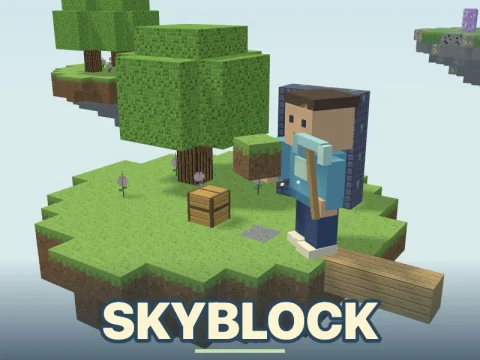
Skyblock
Free · Right in your browser
Skyblock
- Age rating:
- 6+
- Ability to play in full screen:
- Yes
- Technology
- HTML5 / WebGL
- Publication date:
- File size:
- 2.07 MB
Game information
Skyblock is a 3D sandbox about building a home on islands above the clouds. You begin on a small platform with a tree, a chest and a generator. Gather materials, craft tools and bridge the gaps to reach new resources. Your aim is to establish a working island: expand its floor, grow trees and wheat, learn to smelt materials and work through 28 quests. Building and exploration can continue after the quest chain ends.
How to play Skyblock
- Explore your home island and open the starter chest. Its one-time supply contains two saplings, six wheat seeds, 16 dirt blocks and three apples.
- Mine maple logs and turn them into planks. Make sticks and a workbench, place the bench nearby and craft a wooden pickaxe.
- Mine the block above the stone generator. Cobblestone provides material for stone tools, a furnace and a larger platform.
- Check the quest list for your current objective. Crafting, planting, construction and island visits gradually move you through the sequence.
- Enter the purple portal to visit the Hub. Buy supplies, sell eligible resources or purchase an upgrade, then return home to continue building.
Resources, the generator and tools
The generator replaces its mined block after roughly 1.2 seconds. Initially it produces stone, coal and iron ore; generator upgrades allow gold and diamonds to appear. This renewable supply lets you develop without dismantling the ground beneath your home.
Pickaxes progress from wood to stone, iron and diamond. Certain resources require a minimum tool tier: gold needs a stone pickaxe or better, while diamonds and sky crystals need iron or better. Axes speed up harvesting wood. Tools wear down, so check durability before crossing to another island.
Your inventory has 32 slots. The first eight form the hotbar: keep a pickaxe, axe and building blocks ready there, with spare materials in the remaining slots.
Crafting and smelting
One maple log makes four planks. Basic recipes, including planks, sticks and the workbench itself, need no workstation. Tools and the furnace require a workbench placed near your character; carrying one in your inventory is not enough.
A nearby furnace turns ores into iron or gold ingots, sand into glass and cobblestone into stone. It needs fuel as well as ingredients: coal, planks and logs are supported. Leave inventory space for the output before starting a recipe.
Growing trees and wheat
Plant a sapling on suitable soil and leave clear space for its trunk and leaves. It grows in about a minute of active play when unobstructed. Leaves and wood harvesting can provide replacement saplings.
Wheat seeds prepare farmland themselves when planted on suitable soil; a hoe can prepare ground beforehand. Wheat matures after roughly 42 seconds of active play. A ripe crop supplies wheat and seeds for replanting. Three wheat make one bread through the crafting menu.
Islands and the Hub
There are eight islands in total, including Home and the Hub. Build bridges to Maple Grove, Stone Quarry, Sand Haven, Snow Summit, Sky Garden and Crystal Island. The Islands list shows destinations and records visits. Quick travel connects Home and the Hub; the resource islands require a route of your own.
The Hub sells dirt, seeds, ore and other supplies. Selected resources and crops can be sold for coins, which buy generator, movement and mining upgrades. These coins belong to the island economy. If you fall into the void, you return home with your inventory intact and can resume work.
Quests, friends and saving
The 28 successive quests guide development from gathering your first logs to collecting rare resources and completing larger builds. Completing a quest gives coins, and some steps also supply materials. The interface displays the active objective and its counter.
Sign in to invite accepted friends onto the same island. A room holds up to eight real participants, including its owner, who can see one another, mine and build together. Room chat is available. Visitors receive temporary equipment; crafting, smelting, trading and upgrades remain with the island owner. Visitors do not alter the owner's personal coins or quests and return to their own islands after leaving.
Without signing in, your island and progress stay on the device. Signed-in players save their personal island, inventory, coins, quests and settings separately in their accounts.
Tips
- Keep wood renewable. Plant replacement saplings before spending all your logs on planks or fuel.
- Expand before adding workstations. A safe platform gives you room for a bench, furnace and crops.
- Crouch when bridging. Careful edge movement helps you place the next block without walking off the support.
- Check your pickaxe before exploring. Reaching rare ore is not enough without a suitable tool.
- Keep a reserve when trading. Save materials for the current quest, fuel and your route home.
Similar games
Try Worlds for another approach to building in a block-based space. Bed Wars combines construction with team competition. For platform-to-platform jumping, play Level Up: Sky Parkour.
How to play
Controls
- WASD — move; mouse — look around. Click the game area to control the view with the mouse.
- Up/down arrows — move forward/backward; left/right arrows — turn the view.
- Space — jump; Shift — sprint; C or Z — crouch.
- Hold the left mouse button — mine the block under the crosshair.
- Right mouse button — place the selected block, use an object or consume selected food.
- 1–8 or mouse wheel — select a hotbar slot.
- E or Tab — inventory; B — crafting.
- F — interact; in the Hub, open trading.
- R — return home.
- Enter — open room chat with friends; Esc — pause menu and release the pointer.
On a phone or tablet, use the on-screen movement joystick, look area and buttons for mining, placing, interacting and jumping.