Toralei 3D
Free · Right in your browser
Sign in to save your favorite gamesSign in
Game information
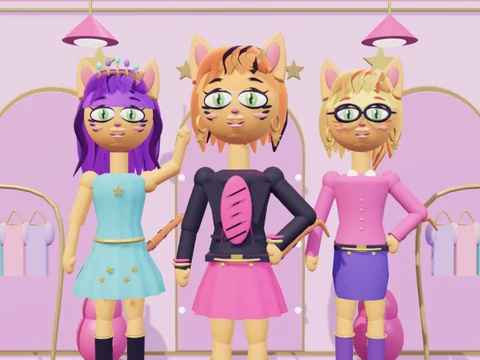
Toralei 3D is a dress-up game starring a red-haired cat girl. The character, hairstyles, clothes and accessories are all built in 3D, so you can inspect an outfit from the front, sides and back. Rotate the model, zoom in on details and create your own combinations.
The wardrobe has eight hairstyles, from a pixie cut and bob to braids, long waves and twin tails. Try a biker jacket, T-shirt, blouse, hoodie, vest or sweater, then add a skirt, shorts, jeans or leggings. Six dresses offer complete outfits. Finish the look with boots, sneakers, pumps or other shoes, and add glasses, headphones, a bow, tiara, jewellery or a handbag.
Change the colours of the hair, streaks, top, bottom, shoes, skin and eyes. Use the palette for a quick choice or the colour control to build a custom combination. Every change appears on the 3D model immediately. Put an outfit together item by item, or generate a random look and refine it.
Save up to six outfits in personal slots and load them again without choosing every item from scratch. Pick the studio, runway, garden or city setting, change the pose and see how your outfit works in a different scene. The Take a screenshot button downloads a PNG directly to your device; the image is not uploaded to the server.
Guests keep their wardrobe in this browser on this device. Signed-in players save their outfits to their account. Invite accepted friends through the shared game menu: one room holds up to eight players including you, and everyone can see each other's selected look.
The wardrobe has eight hairstyles, from a pixie cut and bob to braids, long waves and twin tails. Try a biker jacket, T-shirt, blouse, hoodie, vest or sweater, then add a skirt, shorts, jeans or leggings. Six dresses offer complete outfits. Finish the look with boots, sneakers, pumps or other shoes, and add glasses, headphones, a bow, tiara, jewellery or a handbag.
Change the colours of the hair, streaks, top, bottom, shoes, skin and eyes. Use the palette for a quick choice or the colour control to build a custom combination. Every change appears on the 3D model immediately. Put an outfit together item by item, or generate a random look and refine it.
Save up to six outfits in personal slots and load them again without choosing every item from scratch. Pick the studio, runway, garden or city setting, change the pose and see how your outfit works in a different scene. The Take a screenshot button downloads a PNG directly to your device; the image is not uploaded to the server.
Guests keep their wardrobe in this browser on this device. Signed-in players save their outfits to their account. Invite accepted friends through the shared game menu: one room holds up to eight players including you, and everyone can see each other's selected look.
- Age rating
- 3+
- Ability to play in full screen
- Yes
- Technology
- HTML5 · WebGL
- Publication date:
- File size:
- 2.03 MB
How to play
Choose a wardrobe category and click or tap an item to try it on. Pick colours from the palette or colour control. Drag across the game view with a mouse or finger to rotate the character, and use the available zoom controls to inspect details. Choose a scene and pose in the interface. Save an outfit in one of six slots and load it from the same slot. Sign in and select Invite a friend to the game to dress up together. The camera button downloads a screenshot.